![SMPTE_logoWHITE-RGB-2.png]](https://www.smpte.org/hs-fs/hubfs/SMPTE_logoWHITE-RGB-2.png?height=40&name=SMPTE_logoWHITE-RGB-2.png)
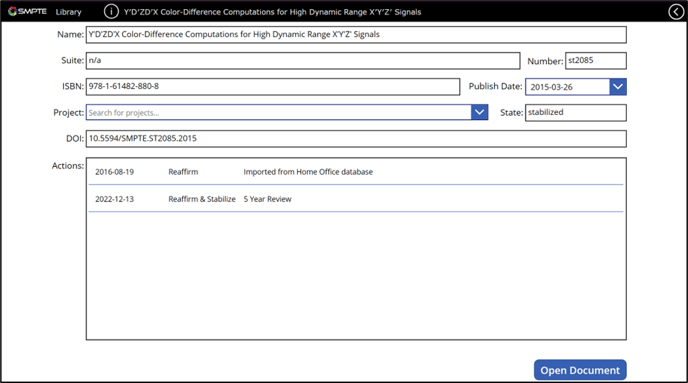
Clicking on the arrow symbol on the right side of a document row in the document list on the Library App main screen will bring you to the Document Metadata View. The document metadata provides information regarding to its publication. Some fields of the document metadata may not have data assigned or synchronized to it if the document is new. The screen shows the document name, suite, number, ISBN, publication date, any associated projects (must be manually updated), state, DOI, and then a list of actions that have been taken on the document. The actions are used to determine review status. The publish date can be selected to view metadata for a different version of the same document. Clicking the ‘Open Document’ button will take the user directly to the document.