![SMPTE_logoWHITE-RGB-2.png]](https://www.smpte.org/hs-fs/hubfs/SMPTE_logoWHITE-RGB-2.png?height=40&name=SMPTE_logoWHITE-RGB-2.png)
- To download a document hover with your mouse pointer over the document you want to download.
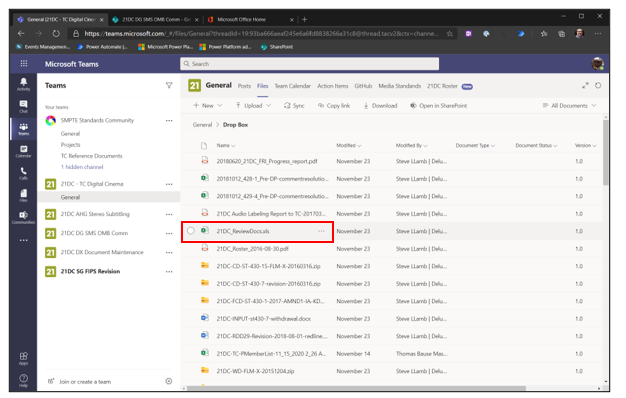
- The selection circle will appear on the left and an ellipsis menu on the right of the file name.

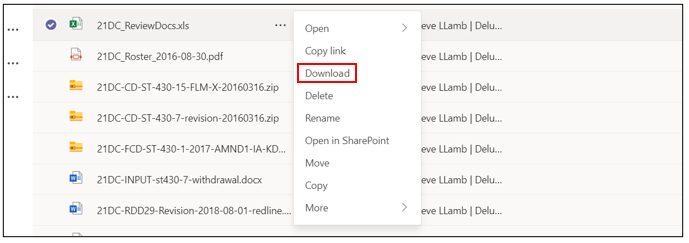
- Click on the ellipsis menu icon to open a context menu and click on download
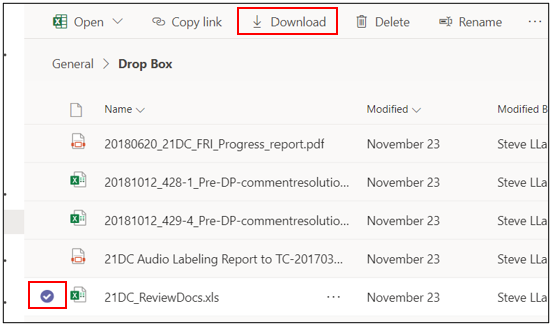
- Alternatively, you can select the file and click on download in the function bar at the top.
- You can select multiple files and download them the same way
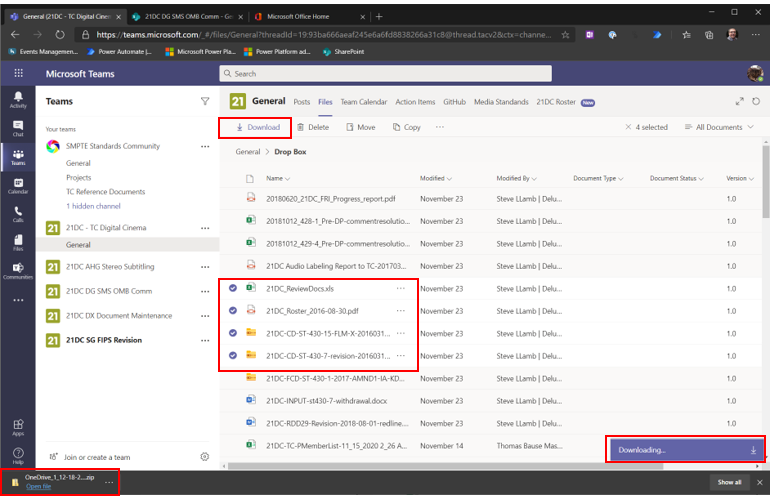
- The selected files will be downloaded as a ZIP file. The ZIP file is usually located in the download folder.