![SMPTE_logoWHITE-RGB-2.png]](https://www.smpte.org/hs-fs/hubfs/SMPTE_logoWHITE-RGB-2.png?height=40&name=SMPTE_logoWHITE-RGB-2.png)
The procedure to send an email is almost identical to the process of reading in email. Please follow the previous steps to get to your group email.
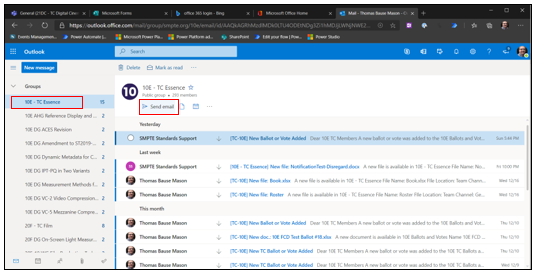
- Once you scrolled down to the email groups click the group you want to send an email to and click on “Send email”
- A window will open which allows you to write an email. The group email is already pre-populated. Attach a file, send the email or discard it once you wrote your message
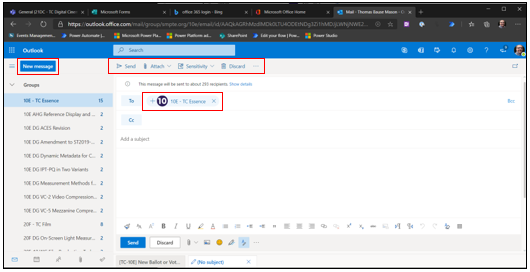
- Click on “New Message” if you want to send an email to any recipient including individuals.
- Clicking either to, cc or bcc will offer email address suggestions while you are typing. All SC members should be available in those suggestions.
- You can also add your SMPTE SKN mail account to your personal mail client or enable forwarding to a different email address. These techniques are not covered here and depend on what your IT department allows (if you have one).